I am learning flutter from JustAcademy, They provide very much great environment where people gather and work simultaneously. totally project based training institute.
MOHD ABU BAKAR ANSARI
Flutter Developer
Awesome Experience. I am a Front-end Web Designer working at Star India for 3 years now. I applied for Full-stack development and my experience has been phenomenal & they really do help with placements exceptionally. Thank you Roshan sir so much.
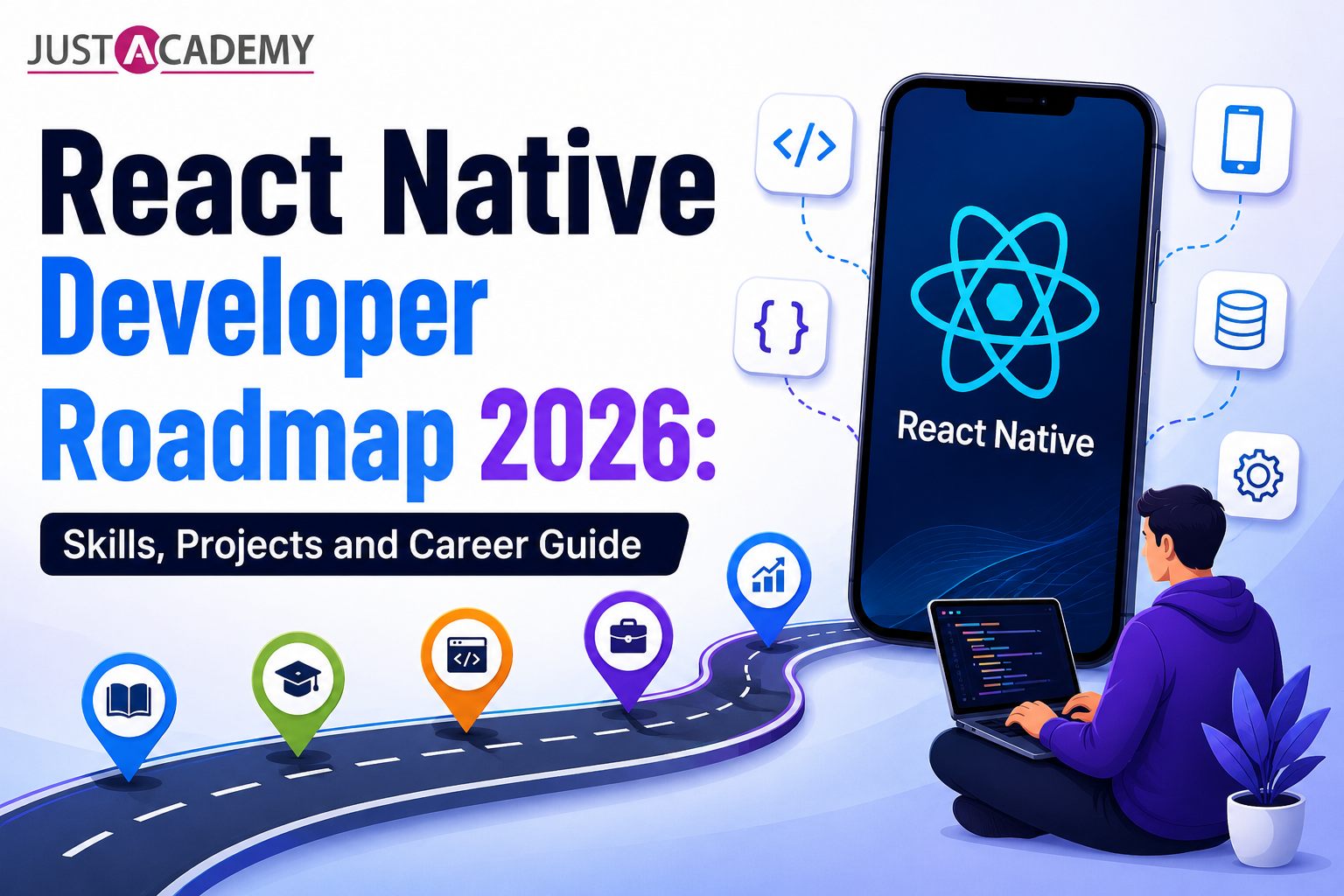
A complete beginner to advanced path for becoming a hireable React Native developer, covering technical skills, testing, deployment and real career outcomes
React Native Developer Roadmap 2026: Skills, Projects and Career Guide
I still remember the first time someone asked me whether they should learn React Native or just stick to native Android and iOS development separately. My honest answer back then, and my honest answer today, has not changed much. If you want to build real mobile apps fast, work across platforms without maintaining two separate codebases, and stay relevant to what companies are actually hiring for, React Native remains one of the smartest paths into mobile development. But here is the thing nobody tells beginners clearly enough. A proper react native roadmap is not just about learning a library. It is about layering the right react native developer skills in the right order so you do not end up with gaps that show up during interviews or, worse, during your first real project at work.
This guide is written the way I would explain it to someone sitting in front of me, not the way a textbook would. We will walk through everything from the JavaScript fundamentals you actually need, all the way through testing, performance, deployment, and what your career and salary expectations should realistically look like in 2026. If at any point you feel like you would rather follow this path with a mentor guiding you instead of piecing it together alone, a structured react native training program covers this exact sequence, and you can always register for a free demo first to see how the sessions actually work before committing to anything. By the end of this guide though, you should have a clear sense of what to learn first, what to practice deeply, and what to skip until you actually need it, because trying to learn everything at once is usually where most self taught developers burn out.
One thing I want to be upfront about before we dive in. This roadmap is not a race. Some people move through it in four months, others take a year while balancing a job or college, and both outcomes are completely fine as long as the understanding is real. What matters far more than speed is whether you can sit in an interview and actually explain why you structured a component a certain way, why you chose one navigation pattern over another, or why your app handles an API failure gracefully instead of crashing. That kind of confidence only comes from building things properly, not from rushing through checklists.
Why React Native Is Still One of the Smartest Career Bets in 2026
Every couple of years someone predicts that cross platform development is about to be replaced by something newer. And yet React Native keeps showing up in job postings, keeps powering apps used by millions of people daily, and keeps evolving with genuinely useful updates like the new architecture rollout that has made apps noticeably faster and more native feeling.
The Business Case Companies Actually Care About
From a hiring manager's chair, React Native solves a very real problem. Building and maintaining separate Android and iOS codebases is expensive and slow. A single React Native codebase, written mostly in JavaScript or TypeScript, lets teams ship features to both platforms simultaneously. That is not a small thing when you are trying to convince a founder or a CTO to greenlight your project timeline.
There is also a talent supply reason behind this demand. Companies already have large pools of JavaScript developers from their web teams, and React Native lets those same developers pick up mobile development without starting from zero in a completely unfamiliar language. This overlap between web and mobile skill sets is exactly why so many job postings now ask for React Native alongside React web experience, and it is part of why understanding the underlying react native developer skills properly, rather than superficially, gives you an edge over candidates who only know one side of that overlap.
Where It Fits Against Other Mobile Approaches
React Native is not the only option out there, and a good developer understands the landscape instead of blindly picking one tool. Flutter has its own strong community and Google backing, while fully native Android and iOS development still wins when an app needs the absolute deepest hardware integration. If you are curious about how these paths actually compare before committing your learning hours, it is worth exploring what a dedicated flutter training path covers versus what native android app development or ios training focuses on, so your choice is based on understanding rather than guesswork.
<br>
Approach
Codebase
Learning Curve
Best For
React Native
Single codebase, JavaScript or TypeScript
Moderate, easier if you know JS
Startups, MVPs, cross platform apps with native feel
Flutter
Single codebase, Dart
Moderate to steep
Highly custom UI heavy apps
Native Android and iOS
Two separate codebases
Steep, two languages required
Apps needing deepest hardware or OS level access
Building Your Foundation: JavaScript and TypeScript Before React Native
I have watched too many beginners jump straight into React Native tutorials without a solid grip on JavaScript, and it almost always backfires within the first few weeks. React Native is built on top of JavaScript concepts, and if those concepts feel shaky, everything downstream feels shaky too.
The JavaScript Fundamentals That Actually Matter
Get comfortable with functions, closures, array and object methods, and asynchronous JavaScript including promises and async await. These are not optional extras. They show up constantly in React Native code, especially when you are fetching data from an API or handling user interactions. Spend real time understanding how the event loop works, since a shaky grasp of asynchronous behavior is usually the reason beginners get confused when a screen shows stale data or a loading spinner that never stops. If your JavaScript foundation feels thin, spending focused time on a structured javascript training path before jumping into mobile specific concepts will save you weeks of confusion later, because every React Native concept you learn afterward assumes this foundation is already solid.
Why TypeScript Is No Longer Optional in 2026
A few years ago, developers debated whether TypeScript was worth the extra syntax. That debate is mostly over now. Most serious React Native teams work with react native typescript setups because it catches bugs before they reach production and makes collaborating on larger codebases far less painful. When a teammate changes a function signature and your code no longer compiles, that is TypeScript doing its job, not TypeScript being annoying.
Learning to create react native app typescript projects from the very beginning, rather than retrofitting TypeScript later, builds habits that will make you look far more employable in interviews. Practice typing your props, your API response shapes, and your navigation parameters properly, since these three areas are where most beginners either skip typing entirely or use a lazy any type that defeats the entire purpose. Interviewers notice this immediately when they review your code samples, and it is a quiet but powerful signal of how seriously you take your own craft.
Core React Native Developer Technical Skills You Must Master
This is the section where the real roadmap begins. Once your JavaScript and TypeScript fundamentals feel steady, it is time to actually build with React Native.
Components, Styling and State Management
Start with functional components, props, and state using hooks like useState and useEffect. React Native styling works differently from web CSS, using a StyleSheet API that feels familiar but has its own quirks around flexbox based layouts. Once you are comfortable building individual screens, move into state management approaches. Context API handles smaller apps well, while larger apps often benefit from lighter external libraries once state genuinely gets complex.
Working With APIs and Device Features
Real apps talk to servers, and real apps use device features like the camera, location services, and push notifications. Practice fetching and displaying data from REST APIs, handling loading and error states gracefully, and integrating at least a couple of native device modules. This is usually where beginners start feeling like they are building something that actually resembles a professional product rather than a tutorial project.
Do not skip the boring parts either. Handling a slow network connection, showing a meaningful error message instead of a blank screen, and gracefully retrying a failed request are the kinds of details that separate a demo quality app from something a real user would actually trust. These situations rarely show up in beginner tutorials, which is exactly why practicing them deliberately on your own projects pays off so heavily later.
Forms, Validation and Local Storage
Almost every real app eventually needs some form of user input, whether that is a login screen, a profile update, or a checkout flow. Learn to build controlled forms with proper validation feedback, and get comfortable with local storage options for persisting data between app sessions, such as saving a user's login state so they are not forced to sign in every single time they open the app. These small details rarely feel exciting to practice, but they show up in almost every production app you will ever work on professionally.
Mastering Navigation and App Architecture
A mobile app without proper navigation feels broken no matter how good the individual screens look. This is a skill that separates hobby projects from apps that feel genuinely usable.
React Navigation and Screen Flow
Learning react navigation thoroughly means understanding stack navigators, tab navigators, and drawer navigators, and knowing when to combine them. Pay close attention to passing data between screens correctly and managing deep linking, since these details come up constantly in real client work and in technical interviews. A surprising number of candidates can describe navigators in theory but freeze when asked to actually wire up a nested navigation structure live during a coding round, so treat this as a hands on skill, not just something to read about.
Also spend time understanding how navigation state persists across app restarts, and how to handle authentication flows correctly, meaning showing a login stack when a user is logged out and switching cleanly to the main app stack once they authenticate. This particular pattern shows up in nearly every real app you will ever build professionally.
Advanced React Native Developer Technical Skills for 2026
Once navigation feels natural, push further into things like custom bottom navigation react native implementations, where you build tab bars that match a specific design system instead of relying purely on default library styling. This is exactly the kind of detail that shows an interviewer you can handle real design requirements, not just follow a tutorial step by step.
Testing Your React Native Apps the Right Way
I cannot stress this enough. Testing is the single most overlooked skill among self taught React Native developers, and it is often the first thing that separates a junior candidate from someone who gets hired at a mid level position.
Unit Testing and the Jest Ecosystem
Jest react native setups form the backbone of most testing pipelines in the ecosystem. Get comfortable writing react native unit testing suites for your components and business logic. Pair this with the react native testing library, which encourages testing components the way a real user would interact with them rather than testing internal implementation details that break easily during refactors.
End to End and UI Testing
Beyond unit tests, learn how end to end testing react native workflows actually function using tools like Detox. Detox react native testing simulates real user flows across entire screens, which is incredibly valuable for catching bugs that unit tests simply cannot see. This overlaps heavily with react native e2e testing and react native ui testing practices that many companies now expect from mid to senior developers.
Automation, Performance and Coding Assessments
As your skills grow, explore react native automated testing pipelines connected to react native ci cd workflows, so tests run automatically whenever code changes. There is something genuinely satisfying about pushing a commit and watching a pipeline automatically run your entire test suite before allowing a merge, and understanding how to set this up yourself puts you well ahead of developers who have only ever run tests manually on their own machine.
Familiarize yourself with react native automation testing tools beyond Jest and Detox as well, since different teams have different preferences, and being flexible across tools rather than rigid about one specific setup makes you far easier to onboard into an existing team. It also helps to practice general testing react concepts and expect a react native coding test during interviews, since many companies now include a small practical testing task as part of their hiring process rather than relying purely on theoretical questions. Walking into that kind of assessment having already written real tests for your own personal projects removes almost all of the pressure, because you are simply doing something you have already practiced dozens of times.
<br>
Here is something worth pausing on before we go further. If you have been piecing together tutorials from scattered sources and still feel unsure whether your testing knowledge is interview ready, that gap is incredibly common, and it is exactly the kind of thing structured, mentor guided practice fixes quickly rather than something you need to struggle through alone for months.
Performance, Debugging and the New Architecture
An app that works is not the same as an app that works well. Performance and debugging skills are what keep users from uninstalling your app after one laggy scroll.
React Native Debugging in Practice
Get hands on with react native debugging tools including Flipper and the built in developer menu. Learn to read error stacks properly instead of panicking at red screens, since debugging confidently under pressure is a skill interviewers specifically probe for during live coding rounds.
Performance Monitoring and Optimization
Understanding react native performance monitor tools alongside general react native performance optimization techniques, like reducing unnecessary re renders and optimizing image loading, will make a visible difference in how smooth your apps feel. Combine this with react native performance testing before shipping any major feature, since performance regressions are far easier to catch early than after users start complaining.
The New Architecture Shift
React Native's new architecture, involving Fabric and TurboModules, has fundamentally changed how the framework communicates between JavaScript and native code. Understanding react native new architecture concepts even at a conceptual level shows employers you are keeping up with where the framework is genuinely heading rather than learning outdated patterns from old tutorials. You do not need to know the internal implementation details of the JavaScript engine to speak intelligently about this, but you should be able to explain in plain language why the new architecture reduces the performance bottlenecks that older React Native apps used to suffer from, particularly around heavy list rendering and native module communication.
This kind of awareness matters more than people expect during interviews, because it tells the interviewer you actively follow the ecosystem instead of learning React Native once and freezing your knowledge in place for years.
Deployment, Hosting and Shipping to the App Stores
Building an app is only half the job. Getting it into users' hands is where a lot of self taught developers stumble, simply because nobody walked them through the process clearly.
Preparing for App Store and Play Store Submission
Learn the full react native deployment process, including generating signed builds, managing app icons and splash screens correctly, and understanding the review guidelines for both platforms. Practicing how to deploy react native app to app store submissions at least once, even for a personal project, removes a huge amount of intimidation around this process before you face it professionally.
Backend Hosting and Environment Management
While React Native handles the frontend, most apps still depend on some backend. Understanding react native hosting considerations for your API layer, environment variables, and build configurations across development, staging, and production environments is a quieter but genuinely important part of being a well rounded mobile developer.
React Native Careers, Salaries and Freelance Opportunities
This is usually the part everyone actually wants to talk about, so let us be direct about it.
What the Job Market Actually Looks Like
React native jobs continue to appear consistently across startups, agencies, and larger product companies, and react native developer jobs in india specifically have grown as more companies choose cross platform development to control costs without sacrificing app quality. If you are just starting out, plenty of listings specifically target react native jobs for freshers, often paired with an internship phase, so do not assume every opportunity requires years of prior experience.
It also helps to widen your search beyond just the job title itself. Many companies list openings under broader titles like mobile developer or frontend developer while specifically requiring React Native experience in the description, so filtering only by exact keyword matches can cause you to miss genuinely good opportunities. Reading the full job description carefully, rather than skimming just the title, tends to reveal far more relevant openings than most candidates realize.
Salary Expectations and Career Growth
React native developer salary in india varies significantly based on city, company size, and your demonstrated project portfolio, but consistently ranks competitively against other mobile development specializations. Your react native developer career trajectory typically moves from building individual screens and features, toward owning entire app modules, and eventually into architecture decisions for larger applications. Many developers also branch into related ecosystems, and pairing your mobile skills with backend knowledge through something like a mern stack developer bootcamp can meaningfully widen the kinds of roles you qualify for, since full stack capability is increasingly valued even in mobile focused teams.
Freelancing and Remote Work
Beyond full time roles, there is a genuinely active freelance market. React native freelancer opportunities show up regularly on platforms, and searching fiverr react native listings alone will show you the range of small to mid sized projects businesses are willing to pay for. Combined with the rise of react native jobs remote, location is becoming far less of a barrier than it used to be, which is good news if you are building your career from outside a major tech hub.
Landing That First Opportunity
For those specifically targeting an entry point, keep an eye out for react native internship listings, since many companies use internships as a genuine pipeline into full time hiring rather than treating them as disposable unpaid labor. Building two or three polished projects, deploying them properly, and being able to speak confidently about your testing and debugging process during interviews will put you meaningfully ahead of most candidates at the same experience level.
Why Structured Training Makes the Difference
I have mentored enough self taught developers to say this honestly. It is absolutely possible to learn React Native entirely on your own through scattered tutorials and documentation. But it usually takes far longer, and the gaps in your knowledge tend to surface at the worst possible time, during an actual interview or your first week on a real project.
This is exactly where structured programs earn their value. JustAcademy, as an ISO certified training institute with a strong presence across Mumbai and Pune along with live interactive online sessions available to learners globally, focuses on closing exactly these kinds of gaps. Rather than leaving you to piece together testing, deployment, and architecture knowledge from twenty different sources, live interactive training walks through real project scenarios with mentors who can answer your specific doubts in the moment rather than leaving you stuck on a forum thread for days.
Whether you choose Mumbai classroom training for a more hands on in person experience or global online training that fits around your existing schedule, the goal remains the same. You leave with a portfolio that actually reflects hireable skills, backed by placement support that connects your learning directly to real opportunities instead of ending abruptly the moment the course does. If mobile development interests you specifically, exploring a focused react native training path built around exactly the roadmap covered in this guide can compress months of scattered self learning into a far more direct route toward your first React Native role.
Conclusion
Becoming a job ready React Native developer in 2026 is not about memorizing a single tutorial series or rushing through concepts you do not fully understand. It is also worth remembering that this field rewards curiosity over perfection. You do not need to feel completely confident in every single topic covered in this roadmap before you start applying for opportunities or picking up freelance work. What matters is that you can honestly speak to what you know, demonstrate it through real projects, and show a clear pattern of continuing to learn rather than standing still. It is about building a genuine layered foundation, starting with JavaScript and TypeScript, moving through core React Native skills, taking testing and performance seriously rather than treating them as afterthoughts, and finally understanding how deployment and the job market actually work. Treat this roadmap as a guide you can revisit at each stage rather than a race to finish quickly. The developers who actually get hired are the ones who can speak confidently about why they made specific technical decisions, not just the ones who can list frameworks on a resume.
If you are ready to stop piecing this together alone and want structured guidance through every stage covered in this roadmap, you can register for a free demo session to experience how the live interactive training actually works, or download the detailed brochure to explore the complete curriculum, project list, and placement support at your own pace before making a decision.
A practical, Pune focused guide to learning ui ux design with live, instructor led and mentor led Figma training, from your first frame to your first job offer.
A Pune learner's roadmap to picking the right tools for Selenium, building a framework from scratch, and understanding where BDD, Cypress, Playwright and Appium fit into the bigger QA picture
A practical, no fluff guide to what it actually takes to build a career as a PHP Laravel developer, written for learners in Pune who want a real answer, not a recycled one.
A practical comparison for Pune based learners choosing between MERN and Java full stack development, covering salary, learning curve, job roles, and long term career growth.